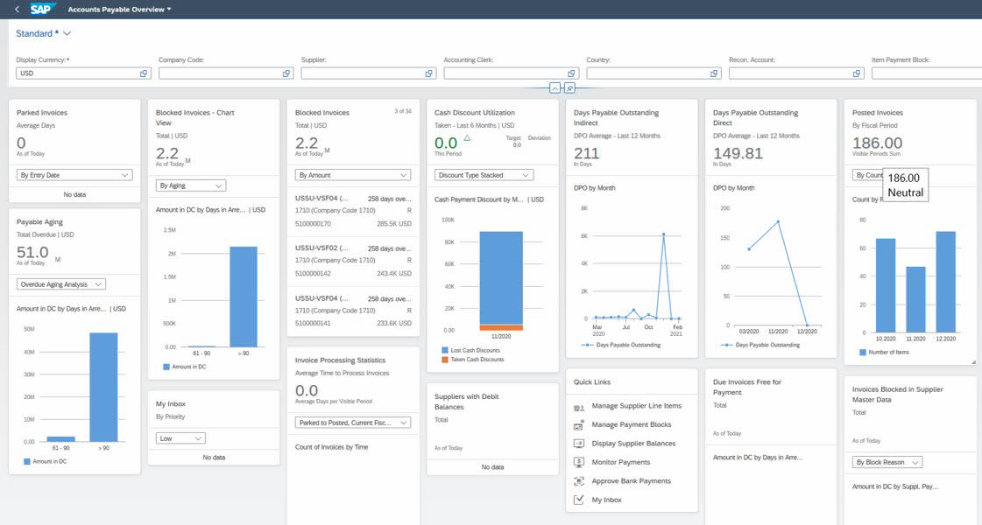
1. Accounts Payable Overview
With this analytical overview app, you can monitor important accounts payable indicators and access the relevant accounts payable apps. You can use the filters to limit the data behind the indicators to the information most relevant for you. Read more in App Documentation
Learn more about solution capability: Accounts Payable (S/4)
Scope Items:
The following scope items in the SAP Best Practices Explorer are using this app.
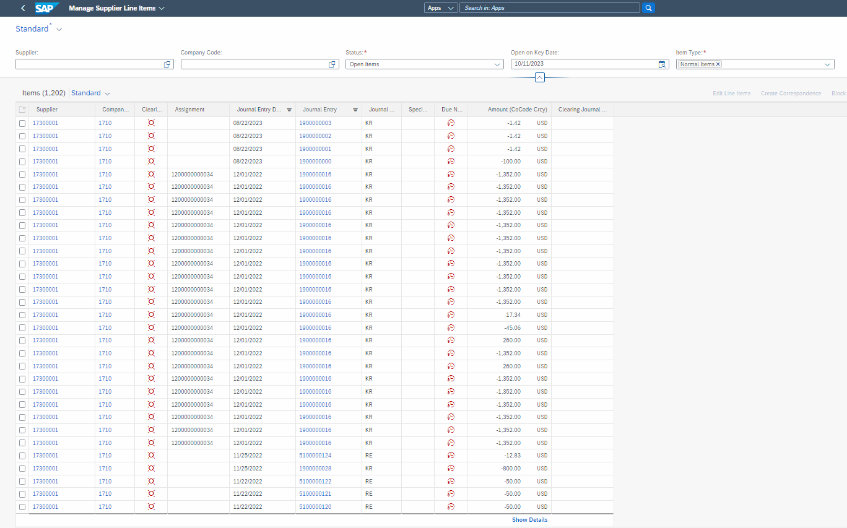
2. Manage Supplier Line Items
You can use this app for ad-hoc requests or recurring reports to easily find supplier line items using a wide range of search criteria. For example, you can see all line items of a supplier account or all open supplier invoices for a company code that are overdue at a key date. To make your work more efficient, you can personalize the layout of the table, predefine recurring queries, and save your settings as variants. In addition to displaying data, you can also take various actions such as setting a payment block or creating a manual payment. You can export the data to a file and send them to a colleague. The app also serves as a navigation target from other apps, allowing users to drill down into the supplier line items.
Read more in App Documentotion
Learn more about solution capability:
- Accounts Payable (S/4)
- Accounts Receivable (S/4)
- Collections Management (S/4)
- Credit Evaluation and Management (S/4)
- Dispute Resolution (S/4)
- Supply Chain Finance ISBN)
- Supplier Invoice Collaboration (S/4)
- Invoice Management (OpenText S/4)
- Financial Shared Services Management (S/4)
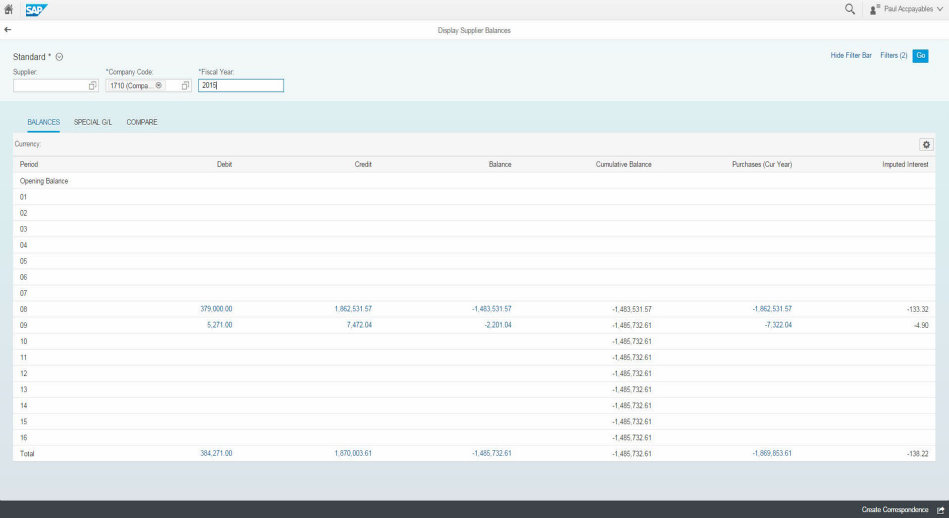
3. Display Supplier Balances
You can use this app to display supplier balances and compare sales. You can see debits, credits, and balances by company code, fiscal year, and supplier. The app allows you to further analyze the amounts by displaying all related line items. Furthermore, you can compare the purchases between two fiscal years. To adapt the app to your needs, you can hide, unhide, and sort columns. In addition, you can create search and display variants.
Key Features:
•You can use this app to do the following: Display balances, debits, credits, and imputed interest
•Search by company code, fiscal year, and supplier
•Compare the purchases of the current and a comparison fiscal year
•Display balances and purchases in the company code currency or in the functional code currency
•Personalize the tables by adding or removing columns
•Export data to a spreadsheet
Learn more about solution capability:
- Accounts Payable (S/4)
- Accounts Receivable (S/4)
- Collections Management (S/4)
- Credit Evaluation and Management (S/4)
- Dispute Resolution (S/4)
- Supply Chain Finance (SBN)
- Supplier Invoice Collaboration (S/4)
- Invoice Management (OpenText S/4)
- Financial Shared Services Management (S/4)